School meals
Our partnership with Chartwells
Saint James' School have partnered with the caterers Chartwells who are committed to making nutritious, delicious food for our pupils, and providing menus to ensure healthy bodies and minds.
What's on the menu?
Our menu caters to a wide range of tastes so that even fussy eaters can find something they like!
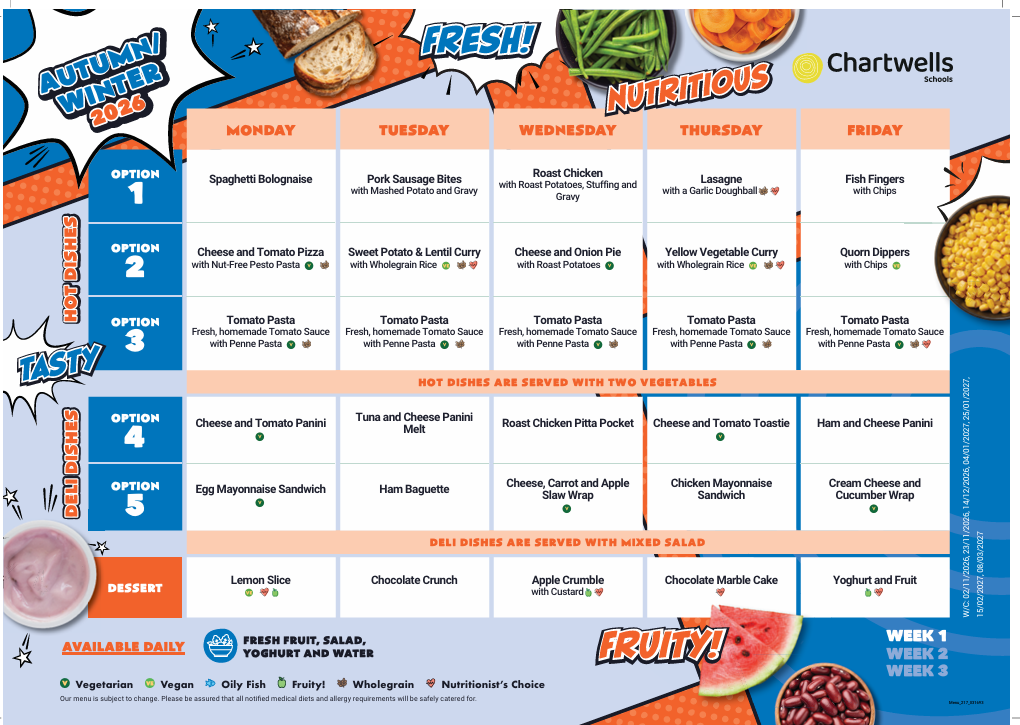
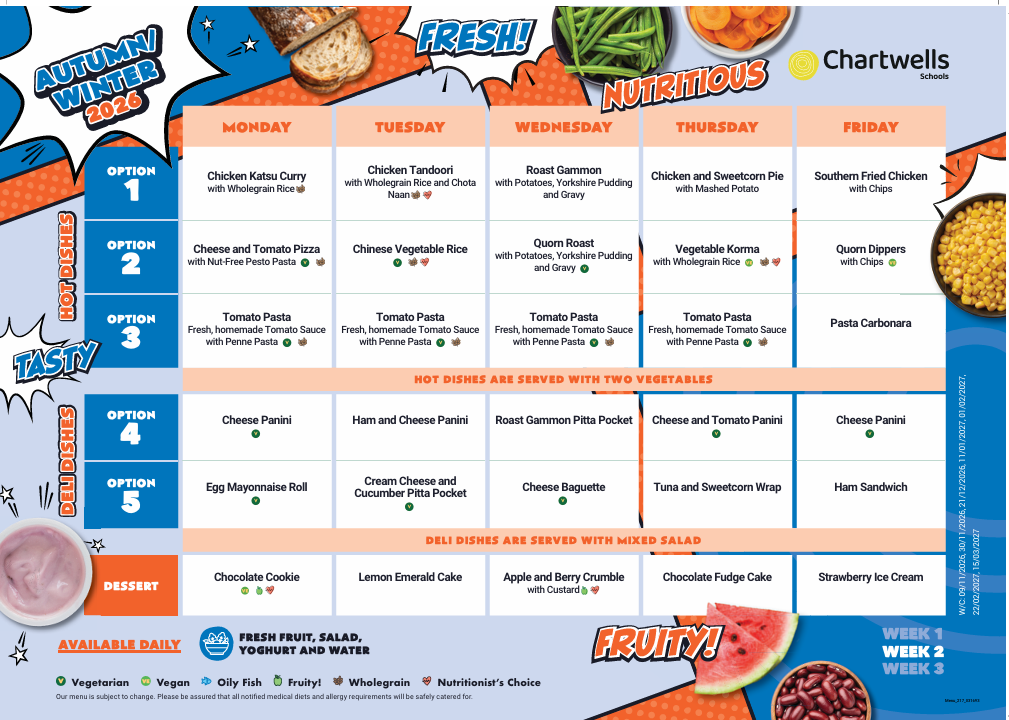
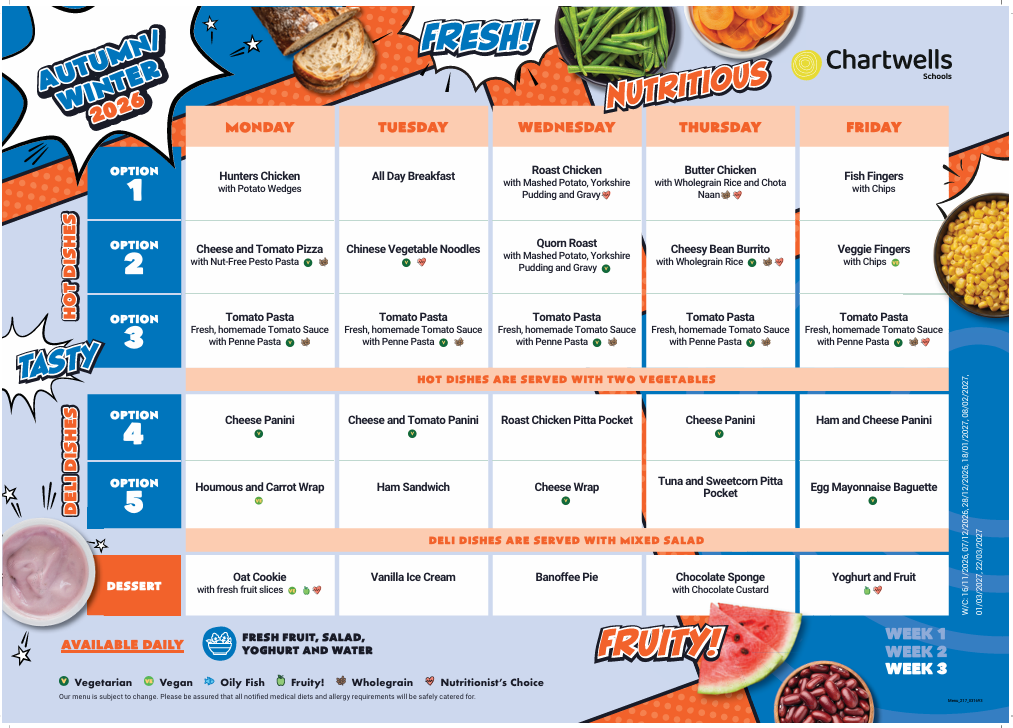
How to book my child's lunch
-
Log in to the Arbor Parent Portal.
-
From the main menu, select Meals.
-
Click on the relevant terms lunch to open the menu in a new window. For example to order for September, ensure you are on 2026/2027 Autumn Term.
-
You can top up your account at this stage or choose to pay at the end once all meals have been selected.
-
Select a day in the week you would like to book a lunch; this will open a new window.
-
Choose a meal from the menu for that day.
-
Select one of the available options (please only choose a special diet if this has been arranged directly with the caterers).
-
Click Proceed to confirm your selection. To book additional days or weeks, select Add More and repeat the steps as needed.
-
Once all meals have been selected, click Go to Basket.
-
Complete payment for the meals.
Lunches can be booked daily, weekly, or for the entire half term, depending on what best suits your family.
Please note that all lunch choices must be made by 8:00am on the day your child is having a school dinner.